An iAutomexa project · Demo with sample data

Digital invitations with personal passes and online RSVP

A web invitation for every guest, with their name and the exact number of passes, plus a dashboard where the organizer sees who confirmed, how many people are coming and what's left to plan. We built it at iAutomexa and it adapts to any kind of event.

This is a demo: Valentina and Emiliano's wedding, the guests and the addresses are made up.

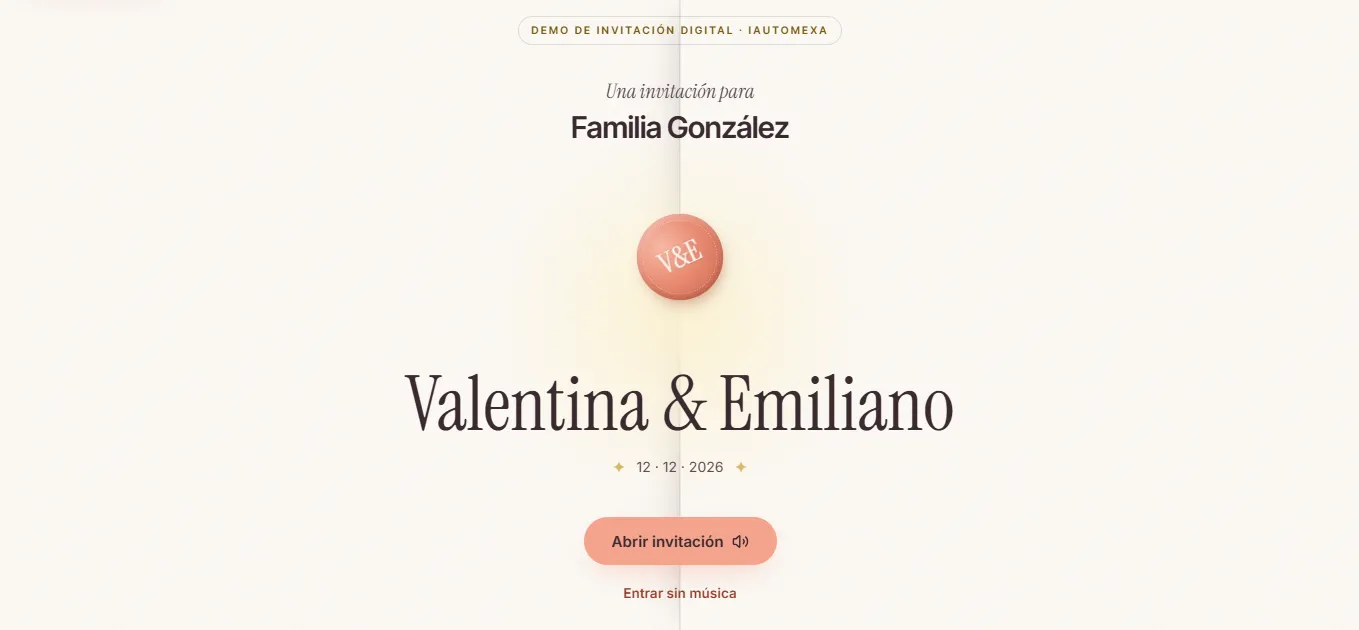
invitacion-demo.iautomexa.comSample digital wedding invitation on a computer: the couple's names, a personal invitation for the González family and the RSVP button

For any kind of event

Design, copy, music and sections adapt to each celebration.

  • Weddings
  • Quinceañeras
  • Baptisms and first communions
  • Birthdays
  • Baby showers
  • Graduations
  • Anniversaries
  • Corporate events

What it solves

Managing guests is often the messiest part of an event. This is what a digital invitation with a dashboard puts in order:

Scattered RSVPs
Answers come in through messages, calls and in person, and have to be pulled together by hand.
Unclear passes
If the invitation doesn't say how many people it includes, unexpected plus-ones show up.
Outdated lists
The guest list lives in a notebook or a spreadsheet nobody updates in time.
Who hasn't answered
Finding out who hasn't confirmed and messaging them one by one takes time right when there's the most to do.
The same questions
Address, time, dress code or whether kids are welcome get asked over and over.

How it works, from the list to the big day

The full journey, from the moment the organizer builds the list until they have the numbers for the venue.

Prepare

  1. The organizer adds their guestsBy name or by family, with their group (bride's family, friends…) and table.
  2. They assign exact passesHow many adults and how many children each invitation includes.
  3. Each invitation gets its own linkA personal link that opens the invitation with the guest's name.

Share

  1. The link is copied and sentEach guest's link is copied from the dashboard to send by WhatsApp or however you prefer.
  2. The guest opens their invitationAn envelope with their name, optional music and the story of the event in scenes.

RSVP

  1. They check every detailVenues with a map and directions, times, dress code, menu and FAQs.
  2. They confirm attendanceWhether they're coming, how many people from their passes, their menu choice, and a message.
  3. They save the dateAdd the event to Google Calendar or download the .ics file, and edit the answer before the deadline.

Organize

  1. The answer reaches the dashboardThe organizer sees confirmed, pending and declined guests, with adults, children and menu.
  2. Reminders and alertsScheduled messages for guests who haven't answered, and alerts by WhatsApp, Telegram or email.
  3. Ready for the dayTotals of people and dishes to coordinate with the venue and the caterer.
The guest experience

An invitation that feels made for each person

Guests don't get a generic file: they open an invitation with their name, see their passes and RSVP in a few taps from their phone.

  • Open an envelope with their name or their family's.
  • See exactly how many passes their invitation includes.
  • Go through the story of the event in scenes, with optional music.
  • Find the venues with a map and a directions button.
  • Check the dress code and its color palette.
  • RSVP, add the date to their calendar and edit the answer if plans change.
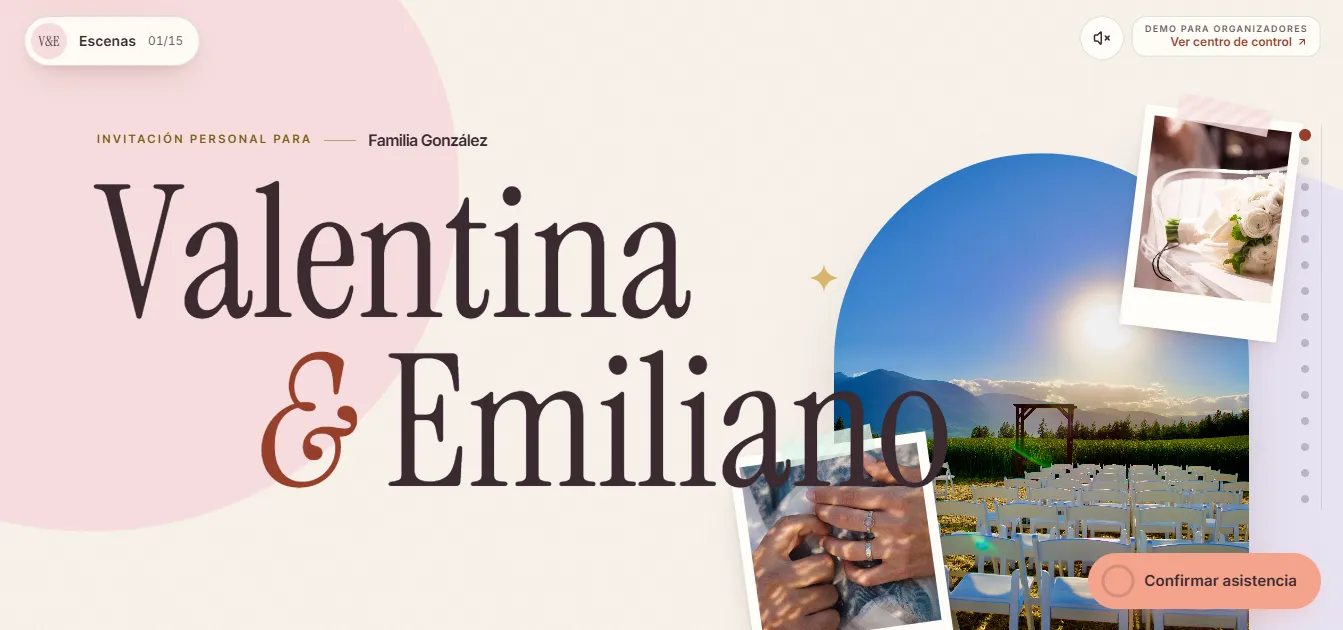
Invitation envelope on a phone with the guest's name, the event date and buttons to open it with or without musicInvitation cover on a phone with event photos and a sticky RSVP button

Organizer dashboard

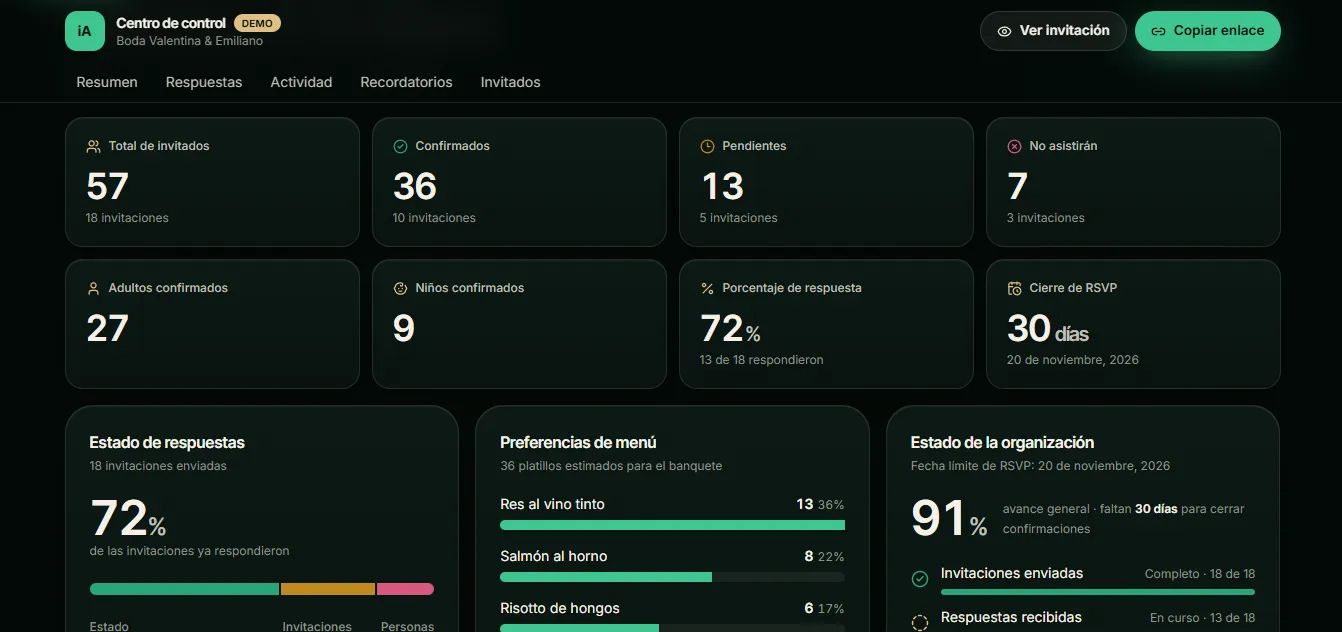
Everything needed to keep the event under control in one place.

Open the dashboard (opens in a new tab)
  • Event overview

    Total guests, confirmed, pending and declined, with adults and children.

  • Guest list

    Search and filters by status and group, with each invitation's table and menu.

  • Passes per invitation

    Exact adults and children per guest, shown on their invitation and their RSVP.

  • Personal links

    Each guest has their own link, opened or copied from the dashboard.

  • Menu preferences

    How many dishes of each option to order for the banquet.

  • Activity and answers

    Every RSVP and every guest message, in order.

  • Scheduled reminders

    Messages for guests who haven't answered, scheduled by date.

  • Notifications

    Alerts by WhatsApp, Telegram or email when someone answers.

  • Google Sheets

    The guest list and answers can be linked to a Google Sheet.

  • Planning progress

    Response rate and days left until RSVPs close.

Demo and working version

What you see in the demo and what your event's invitation includes:

In the demo
Answers are saved only in your browser, and the guests, reminders and figures are samples.
In the working version
Every RSVP reaches the organizer's dashboard.
Notifications
Alerts by WhatsApp, Telegram or email, whichever you prefer.
Integrations
Connection to Google Sheets or other tools you already use.
One link per guest
Each guest opens their invitation with their own link and passes.
Custom design
Colors, fonts, photos, music and sections are tailored to your event.

Demo screenshots

The invitation and the organizer dashboard, on desktop and on a phone, with sample data.

  • Ceremony venue on a phone with map, address, time and a directions button
    Venues on a phone
  • Dress code on a phone with the suggested color palette and notes for guests
    Dress code
  • Guest list on a phone with groups, RSVP status, attendees, menu, table and buttons to view or copy each invitation link
    Guest list

How to try the demo

No account needed: the sample invitation and the dashboard are open.

  1. 1. Open the invitation

    1. Go to the González family's sample invitation.
    2. Open it with or without music.
    3. Go through the scenes: story, venues, dress code and FAQs.
  2. 2. RSVP

    1. Tap the RSVP button and choose how many people from your passes will attend.
    2. Choose a menu option and leave a message.
    3. Add the date to your calendar. In the demo, the answer is saved only in your browser.
  3. 3. Open the dashboard

    1. Check the overview: confirmed, pending, menu and progress.
    2. Add a guest with their adult and children passes.
    3. Copy their link and open it: you'll see their personal invitation.

Use test names: the demo is only for seeing how it works.

Frequently asked questions

What are iAutomexa's digital invitations?

They're web invitations built by iAutomexa: each guest gets a personal link with their name and exact number of passes, RSVPs from their phone, and the organizer sees the answers in a dashboard. The demo uses a fictional wedding.

What kinds of events are they for?

Any event: weddings, quinceañeras, baptisms, first communions, birthdays, baby showers, graduations, anniversaries and corporate events. Design and sections adapt to each celebration.

How do personal passes work?

The organizer sets how many adults and children each invitation includes. Guests see their passes when they open the invitation and confirm how many people from those passes will attend.

How do guests RSVP?

From their link, on a phone or computer with nothing to install: they say whether they're coming, how many people, their menu choice and a message. They can add the date to Google Calendar or download the .ics file.

Where do I see who confirmed?

In the dashboard: total guests, confirmed, pending and declined, with adults, children, menu, table and response rate.

Can it send reminders and notifications?

Yes. The working version can send alerts by WhatsApp, Telegram or email and schedule reminders for guests who haven't answered. In the demo, reminders are samples.

Can it connect to Google Sheets?

Yes. The guest list and answers can be linked to a Google Sheet or other tools, depending on what you need.

Can the design be customized?

Yes. Each invitation is custom-designed: colors, fonts, photos, music, copy and sections.
Related services

Back to Demos

Have an event coming up?

Tell us what you're celebrating and we'll put together an invitation with passes, RSVPs and a dashboard tailored to your event.

Custom-built projects · Puebla, Cholula and all of Mexico, remotely