Auto repair shop software that connects quotes, parts inventory and repairs
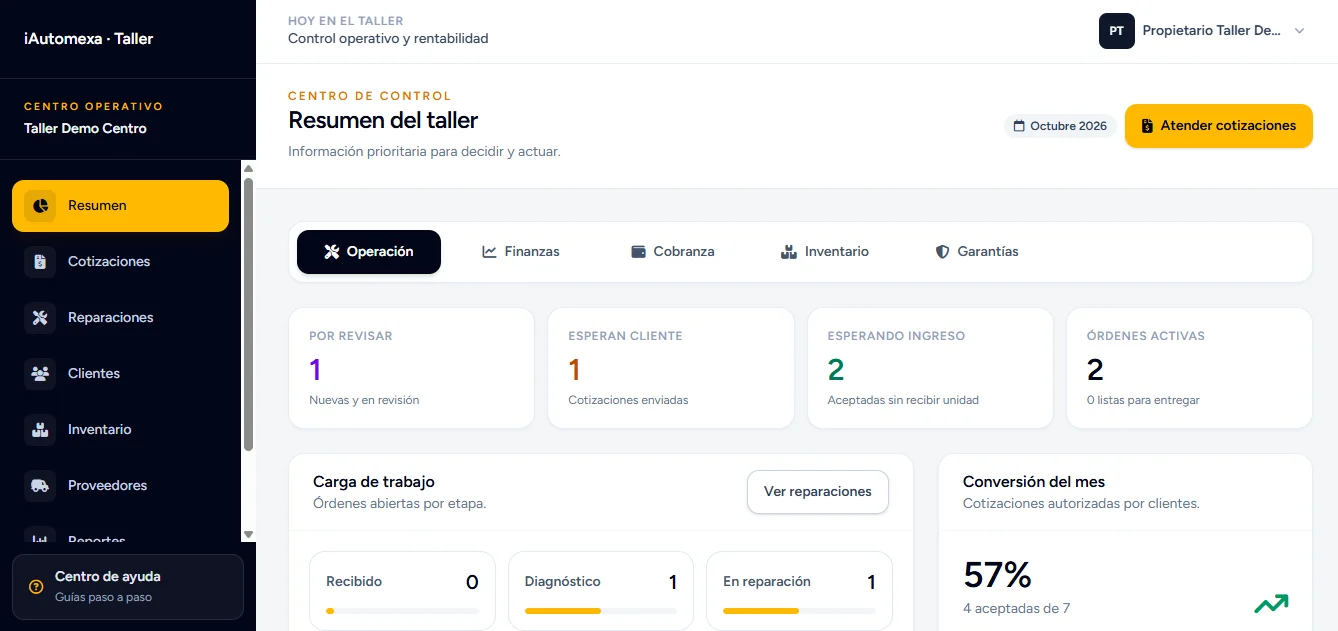
A web system we built at iAutomexa to run an auto repair shop end to end: customers request a quote from their phone, the shop builds it from its inventory, and the repair is tracked until the vehicle is handed back.
iAutomexa is a software company in Puebla, Mexico, not a repair shop. This system is our own project, adapted to how each business works.
The problem it solves
In many shops, the information about a single vehicle lives in different places and is hard to pull together when the customer asks.
- Scattered requests
- Photos, vehicle details and descriptions arrive through messages and calls, and have to be typed in again.
- Quotes by hand
- Adding up parts and labor on a spreadsheet or notebook takes time and invites mistakes.
- Inventory on the side
- Parts used in a repair aren't always tied to the vehicle or to the bill.
- No customer updates
- Customers have to call to find out whether their quote is ready or when to pick up their car.
- Hard-to-track payments
- Deposits and partial payments are written down separately, so it's hard to know what's still owed.
How it works, start to finish
The full journey, from the moment the customer reports a problem until they pick up their vehicle.
Request
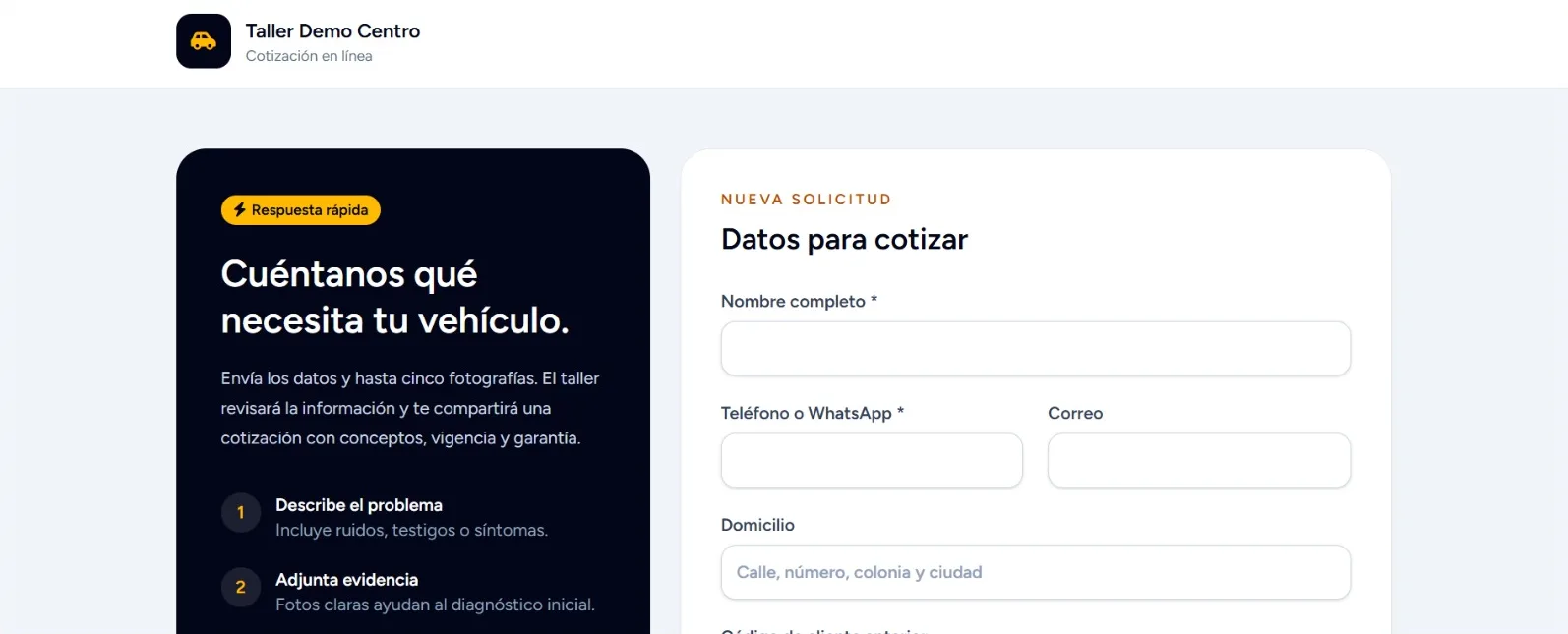
- The customer reports the problem from their phoneThey describe the issue or service they need in the browser, with no app to install.
- They choose how the vehicle will arriveDrop-off at the shop, pickup by the shop, or a tow truck.
- They send their details and photosUp to five photos, visible only to signed-in shop staff.
- The request arrives as a new quoteIt shows up in the dashboard with its photos, and the shop gets a Telegram alert.
Quote
- The shop builds the quoteIt adds parts from the inventory plus services or labor.
- The system calculates the totalQuantities, prices and the total are calculated automatically, with no separate spreadsheet.
- The customer views it through a private linkThe link is unique to their quote, and the shop can close it when it's no longer needed.
- They download the PDF, accept or declineTheir answer is recorded on the quote.
Repair
- Drop-off is scheduledAccepting isn't the end: the shop agrees with the customer on when the vehicle comes in.
- A repair order is created on arrivalThe accepted quote becomes a repair order with the same information.
- The shop logs progressRepair status, additional parts, deposits and payments.
- The customer checks progressThey see their vehicle's status without calling the shop.
Pickup
- Service completed successfullyThe customer gets that status and a notice to pick up their vehicle.
- Everything stays connectedCustomer, vehicle, quote, repair and warranty stay linked for later reference.
Main modules
The pieces that make up the system, all connected.
Digital quotes
Requests with photos that become quotes with parts and labor, plus a PDF.
Customers and vehicles
Each customer with their vehicles and their history of quotes and repairs.
Check-in and repair orders
An accepted quote becomes a repair order when the vehicle arrives at the shop.
Repair statuses
Each order moves through statuses the shop updates and the customer can check.
Parts inventory
Stock, categories and units of measure; parts used stay on the order.
Suppliers
A supplier directory and parts requests with their status.
Services and labor
Services added to the order and canceled with a record left behind.
Deposits, payments and receivables
What's been paid and what's still owed on each repair, with no separate notebook.
Warranties
The warranty stays linked to the repair and the vehicle.
Reports
Income, expenses and profit to understand how the shop is doing.
Notifications and automation
Telegram alerts for the shop and notices to the customer about their vehicle.
User roles
Everyone sees and handles what their job requires. Works on desktop, tablet and phone.
A private channel so customers don't have to call
Customers send their request from their phone and then follow everything through their own link: the quote, their answer and the repair's progress.
- Report the problem and attach photos of the vehicle.
- Choose drop-off, pickup or a tow truck.
- Review the quote with the parts and labor breakdown.
- Download the quote as a PDF.
- Accept or decline from the same link.
- Follow progress and get notified when the vehicle is ready for pickup.
What each person gets
The same system, seen from every role in the shop.
Owner
- Sees income, expenses and profit in reports.
- Knows what's still owed.
- Decides what each user can do.
Manager
- Gets organized requests with photos.
- Builds quotes from the inventory and sends the PDF.
- Keeps suppliers and parts in one place.
Technician
- Checks the order and the vehicle assigned to them.
- Logs progress and the parts they use.
- Leaves a record of their work on the order.
Customer
- Requests a quote from their phone.
- Decides with the PDF in hand.
- Knows when to pick up their vehicle.
Security and privacy, in plain words
A shop handles customer data and photos of their vehicles. Here's how the system protects them:
- Private links
- Each quote has a unique, hard-to-guess link. The shop can close it when it's no longer needed.
- Protected photos
- Photos aren't public: only signed-in shop staff can see them.
- Role-based access
- Each user signs in with their own account and only sees what their role allows.
- Data separated by company
- Each shop's data is isolated from any other shop's.
- Activity log
- Parts, services and payment entries aren't deleted: they're reversed, keeping a record of who did it and when.
- Sample data in the demo
- Names, phone numbers, plates and vehicles in the demo are made up.
System screenshots
Screens from the demo, with sample data.
taller-demo.iautomexa.com 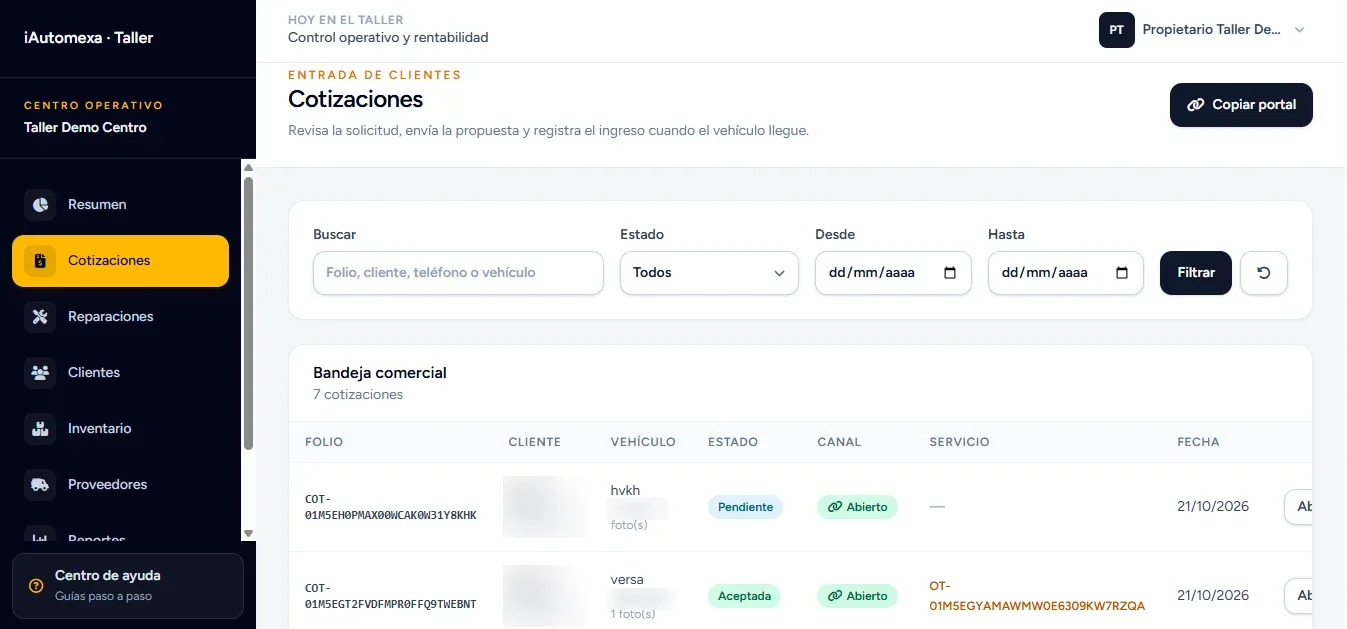
Quotes inbox 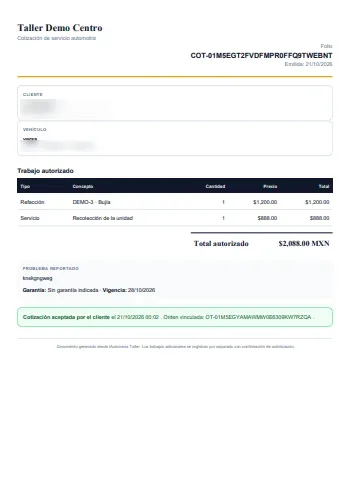
Quote PDF taller-demo.iautomexa.com 
Repair order taller-demo.iautomexa.com 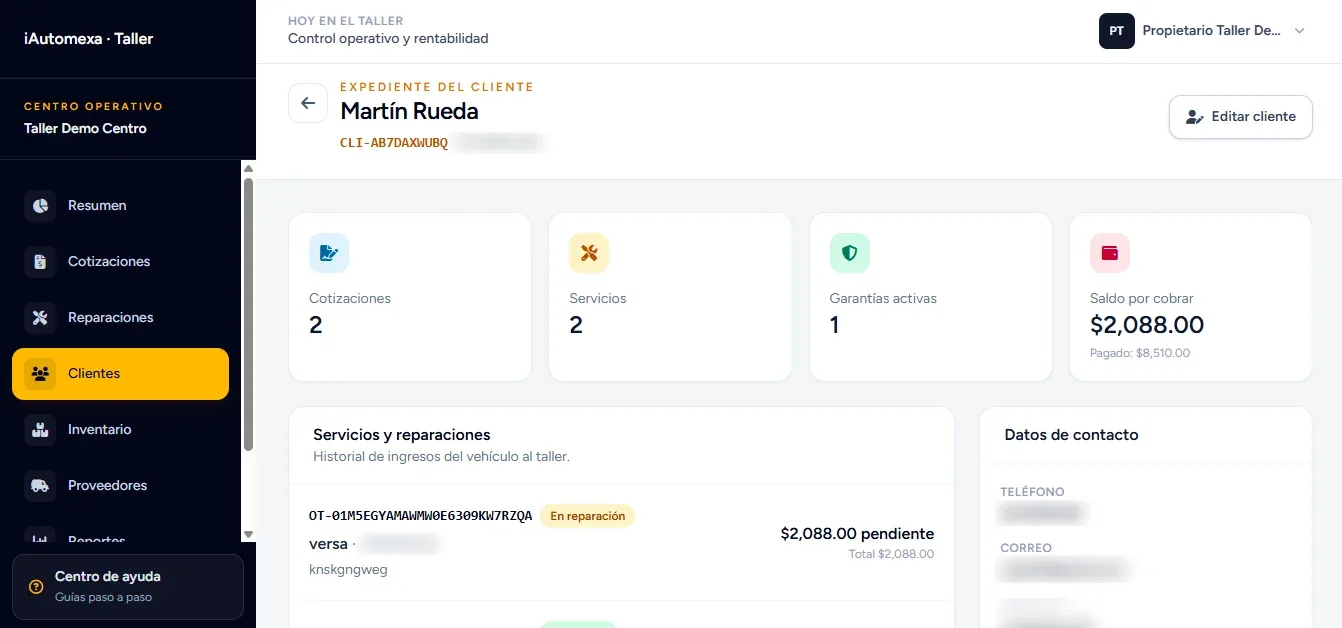
Customer record taller-demo.iautomexa.com 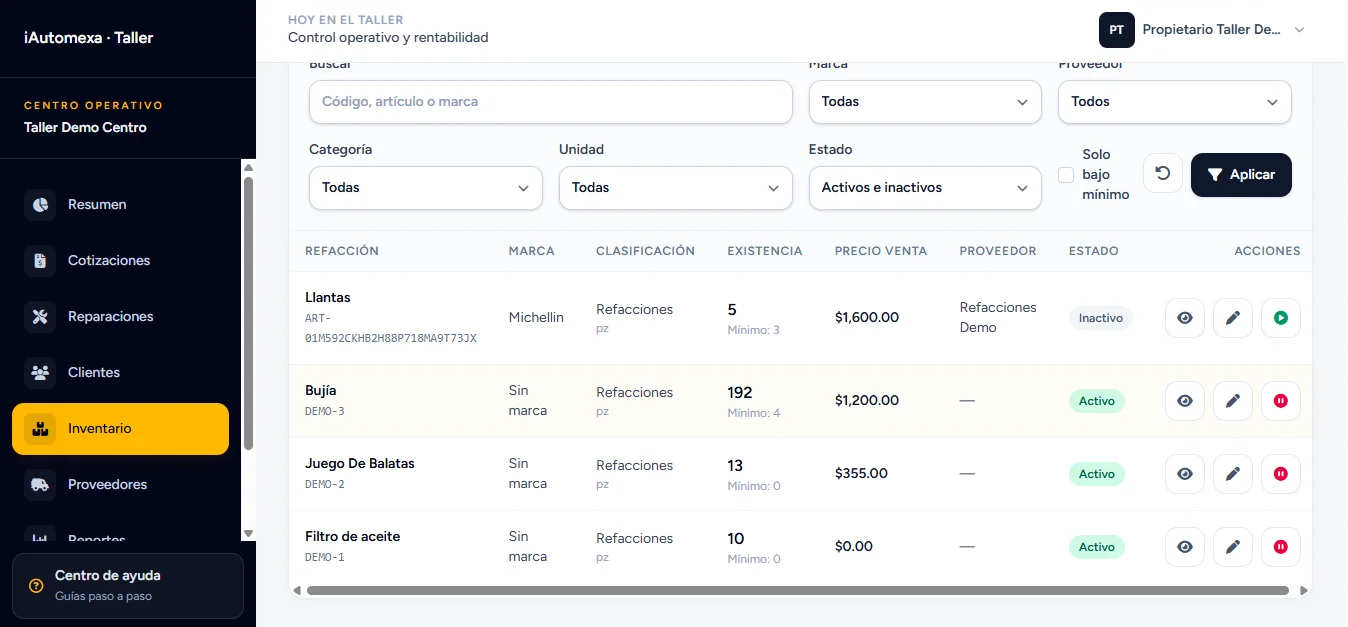
Parts inventory taller-demo.iautomexa.com 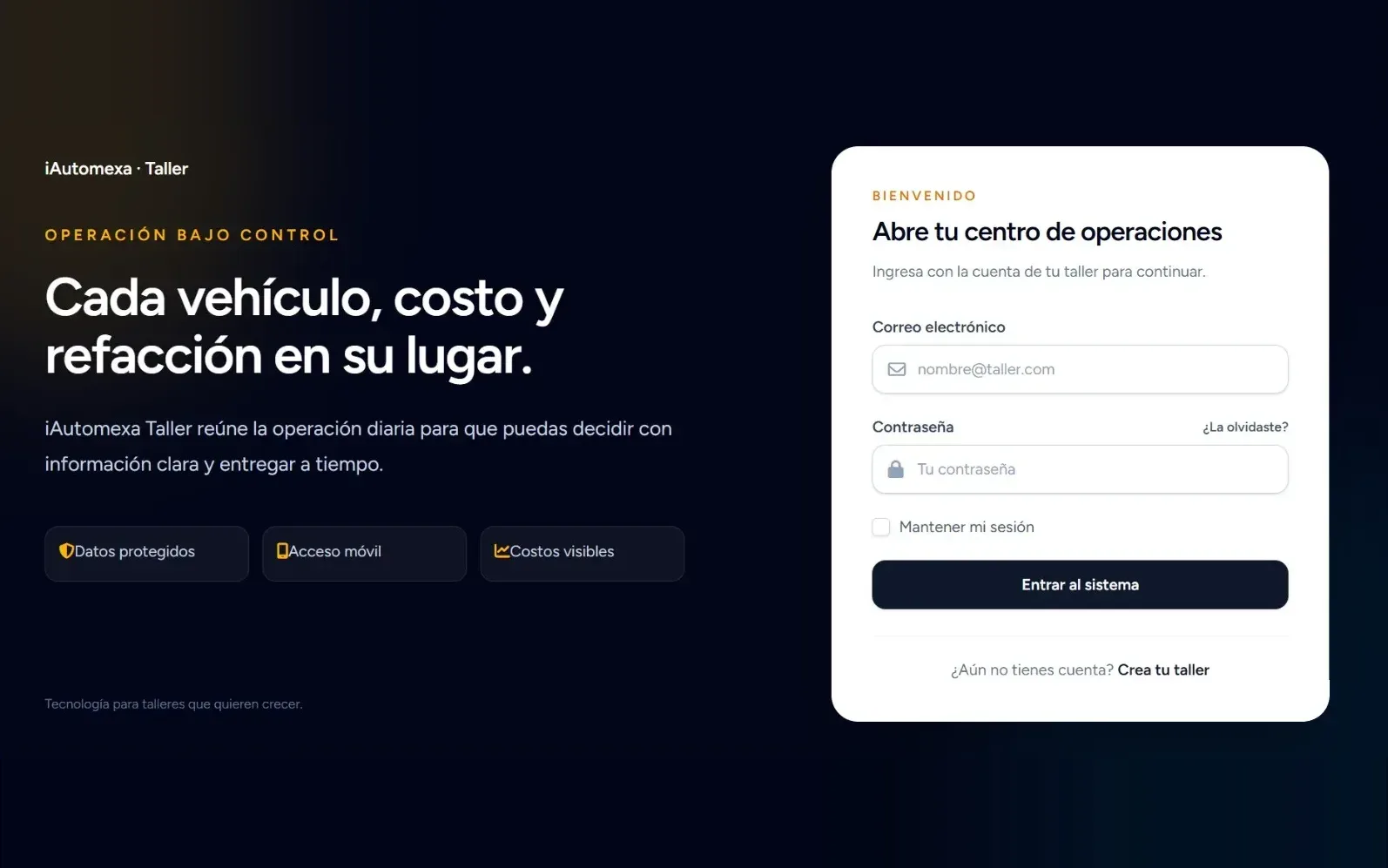
Sign-in
Prefer a guided tour?
Book a guided demo by video call: we walk through the system with you and talk about how it would fit your shop's processes.
How to try the demo
Everything lives on one site: taller-demo.iautomexa.com. Follow this order to see the full journey, from customer to shop.
1. Sign in
- Request access and we'll send you a demo user.
- Go to taller-demo.iautomexa.com and enter your email and password.
- Once signed in, the customer portal and the shop dashboard are unlocked.
2. Use the customer portal
- Open the customer portal and put yourself in the customer's shoes.
- Describe a problem, upload test photos and choose how the vehicle will arrive.
- Send the request: it's what a real customer would see on their phone.
3. Handle it from the dashboard
- Under Quotes, open the request you just sent.
- Add parts from the inventory and labor; the total is calculated automatically.
- Send the quote and open its private link to download the PDF, accept or decline it.
- Once the quote is accepted, create the order and log progress, deposits and payments.
The demo is shared: use test data and photos only.
Frequently asked questions
What is iAutomexa's auto repair shop software?
It's iAutomexa Taller, a web system built by iAutomexa to run an auto repair shop: it receives quote requests with photos, builds quotes from inventory parts and labor, turns accepted quotes into repair orders, and tracks progress, payments and warranties. It's presented as a project with a demo that uses sample data.
Is iAutomexa the same as Automexa?
No. iAutomexa, with an "i" at the start, is a Mexican systems engineering company based in Puebla that builds custom software and automation. It isn't a repair shop and isn't related to automotive businesses with similar names. What it does do is build software for repair shops, like this system.
Is it a product I can buy today?
It's a real iAutomexa project you can try in the demo. If you want it for your shop, we handle it as custom development: we review your process and give you a written proposal with scope, timeline and cost.
How do I try the demo?
Request access, sign in at taller-demo.iautomexa.com, create a request from the customer portal, then handle it from the shop dashboard: quote it, send it and turn it into a repair order.
Does the customer need to install an app?
No. The request form and the quote link open in the browser on a phone or computer.
How are customer photos and data protected?
Photos are visible only to signed-in shop staff, each quote has a private link the shop can close, each user only sees what their role allows, and each shop's data is kept separate from other shops.
Can it be adapted to my shop?
Yes. Since it's custom development, services, repair statuses, roles, logo and notifications are adjusted to the way each shop works.
Does it work for shops anywhere in Mexico?
Yes. It's a web application you can use anywhere with an internet connection. iAutomexa works from Puebla with businesses across Mexico, remotely.